
 Inobitec DICOM Viewer Lite
 Inobitec DICOM Viewer Pro
 Inobitec Web DICOM Viewer
 Inobitec DICOM Server (PACS)
14.1. View Storage Status
To view the storage status, select the Storage menu and the Storage status... item. The window shown in Fig. 14.1 will pop up.
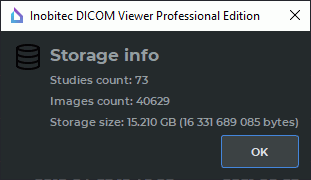
The following information is displayed in the window: the number of studies in the storage; the total number of images in all studies; the size of data stored in the storage (gigabytes and bytes).


