
 Inobitec DICOM Viewer Lite
 Inobitec DICOM Viewer Pro
 Inobitec Web DICOM Viewer
 Inobitec DICOM Server (PACS)
14.2. Curvilinear Reconstruction
____________________________________________________________________________________________
Functionality is available in a separate module which is activated in the Pro edition for an extra fee
____________________________________________________________________________________________
Curvilinear reconstruction is used to create a panoramic image along a user-defined curve. The curve can be drawn only in the axial plane window. To create a curvilinear reconstruction, select a window layout template containing an axial MPR section plane window and an unfolding window.
For a detailed description of creating a curvilinear reconstruction, see Section 5.7.
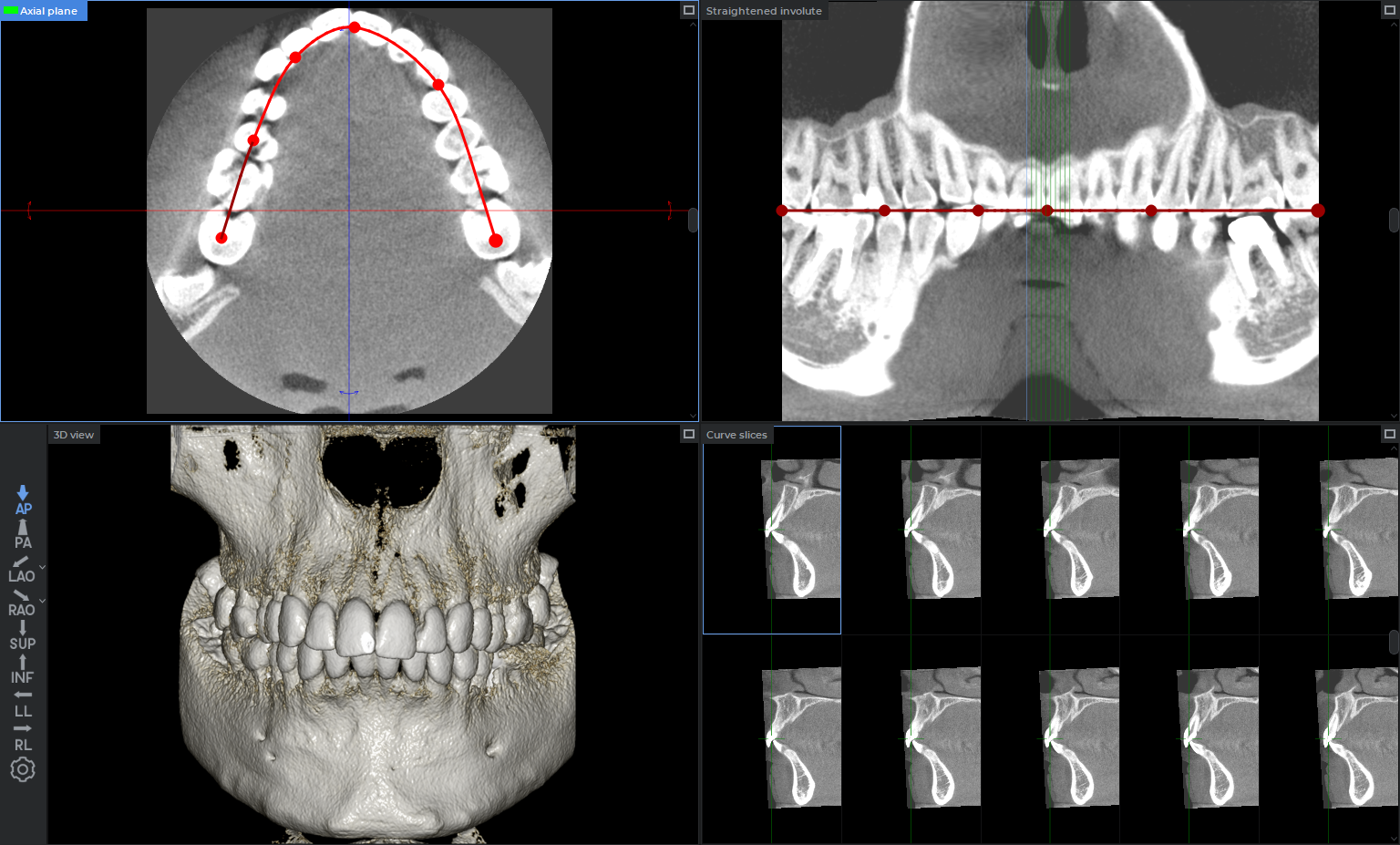
After the curve is drawn, the unfolding window displays a tissue section along the curved surface. If implants have been placed in the study, the unfolding window displays the intersection lines of the implant models with the curvilinear reconstruction surface.
 | The implant positions on the curvilinear reconstruction are intended for visual inspection. |
| | Interactive positioning of implants and abutments is not available on the curvilinear reconstruction. Implants are positioned interactively in the MPR section plane windows and the 3D view window. |


